
Free · Part of Pexper
Upscale and remove
background. Locally.
Drop an image — or an entire folder. Oxel runs Core ML models accelerated by the Neural Engine, right on your Mac. No uploads, no cloud, no subscriptions.
Neural Engine
Hardware-accelerated on Apple Silicon
100% Local
Nothing leaves your machine
Works Offline
No internet required
Free
No account, no limits
Two tools. No compromises.
Oxel does two things and does them fast.
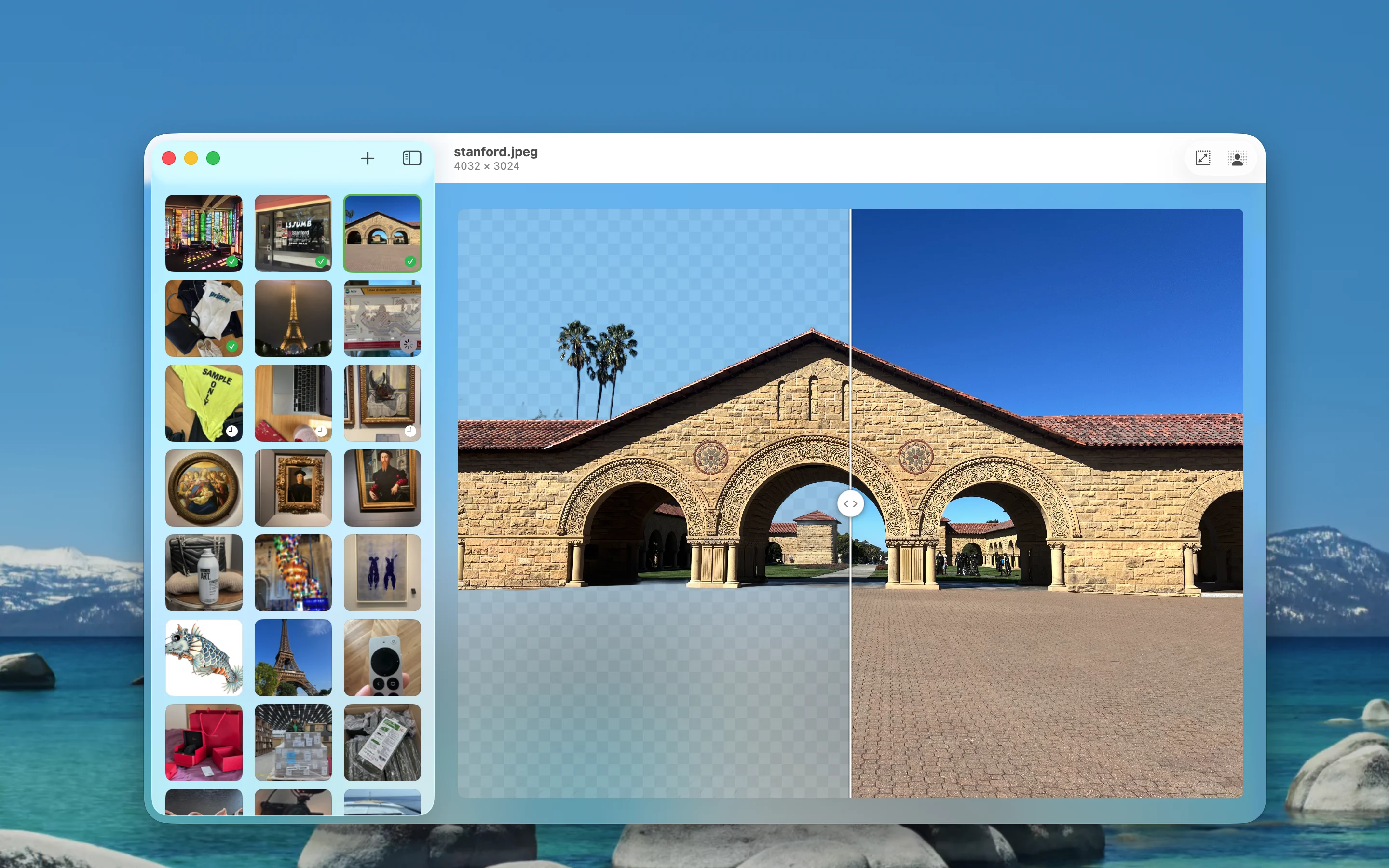
Background Removal
Powered by RMBG 1.4, running as a Core ML model on your Mac. No uploads, no API calls.
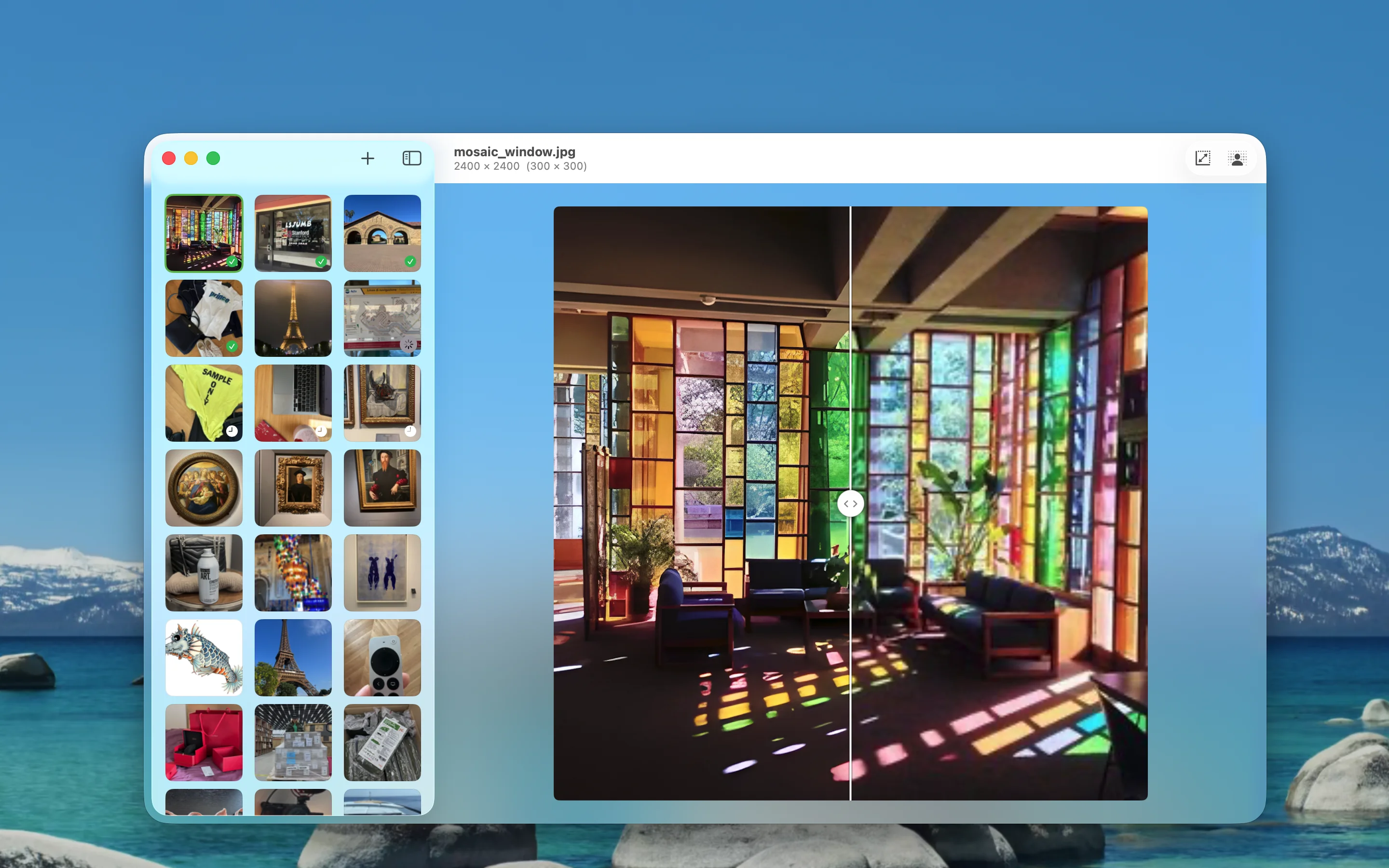
AI Upscale
AI-powered resolution increase via Core ML. Sharpen details, reduce artifacts, get print-ready results.
Drop. Process. Done.
No menus, no settings, no learning curve.
Drag and drop
Drop a single image or an entire folder onto Oxel. That's it — no file pickers, no import dialogs.

Oxel processes locally
The Neural Engine runs the AI models on your hardware. Background removal and upscaling happen in seconds, not minutes.

Get your files
Processed images are saved to the output folder you choose. Originals are never modified.
Why Oxel
"Online tools upload my images to their servers."
Oxel runs entirely on your Mac. Your files never leave your machine. No uploads, no cloud processing, no third-party access to your work.
"Upscalers destroy my transparent backgrounds."
Oxel preserves alpha channels during upscaling. Drop a transparent PNG in, get a transparent PNG out — at 2x, 4x, or 8x the resolution.
"I have 200 product photos to process."
Drop the folder. Oxel batch-processes every image using the Neural Engine. Hardware acceleration means it finishes in a fraction of the time.
"I need it to work on a plane, at a cabin, wherever."
Oxel works fully offline. No internet connection needed, ever. The AI models are bundled in the app.
For Developers
Built on OxelKit
OxelKit is the shared framework that powers image processing in both Pexper and Oxel. It wraps Core ML models for background removal and upscaling into a clean, reusable API.
Explore OxelKit →Download Oxel. It's free.
No account. No subscription. No limits. Just drag, drop, and go.
Get on the Mac App Store →macOS · Requires Apple Silicon (M1 or later)