
NoLima: GPS Shield
Navigation that
spots fake GPS.
What it does
Spots fake GPS
NoLima checks every GPS position: jumps and speeds no car could make, tracks too perfect to be real, places known from spoofing attacks, GPS time that's off, movement your phone's sensors don't feel, and a position far from your internet connection. When something is wrong, it says so plainly: GPS spoofed, GPS jammed.
Keeps guiding you without GPS
When GPS is spoofed, jammed or off, NoLima navigates on Wi-Fi and cell positions or on your phone's motion sensors. The estimate follows your route, recognizes the turns and bends you take, and knows how fast each road is usually driven from OpenStreetMap. If it drifts, tap the numbered crossroad you're at, and you're back on the map.
You choose the sources
Switch GPS, Wi-Fi and cell towers, and the motion sensors on or off. Turn GPS off where you know it's jammed, and NoLima navigates on the others straight away.
Learns your roads
NoLima remembers your drives on your iPhone and learns from them how fast your roads are driven and where you stop, so it keeps your position better the next time GPS is gone. It also remembers where GPS failed and warns you when a planned route passes there.
Finds the exact house
Apple Maps doesn't know every house number in Ukraine. NoLima also searches the OpenStreetMap addresses built into the app, typed in Ukrainian, Russian or Latin letters, and asks when Apple Maps puts a house on a different street.
Air alerts on the way
The official air alert where you are, from Повітряна тривога, appears next to the GPS status on the phone, on the Lock Screen and in CarPlay. Your position stays on your iPhone: NoLima downloads the alerts for all of Ukraine and finds yours on the phone.
iPhone, CarPlay and Live Activities
Search right from the map, compare routes and get turn-by-turn directions. Add a stop or pick a new destination during a route without losing it. In CarPlay, the turn card shows the GPS status and your arrival time, and the controls sit within the driver's reach. The Lock Screen and Dynamic Island show the next turn, arrival time and GPS status.
Private by design
No accounts, no ads, no analytics, no tracking. Your drives, your GPS history and what NoLima learns stay on your iPhone.
Screenshots
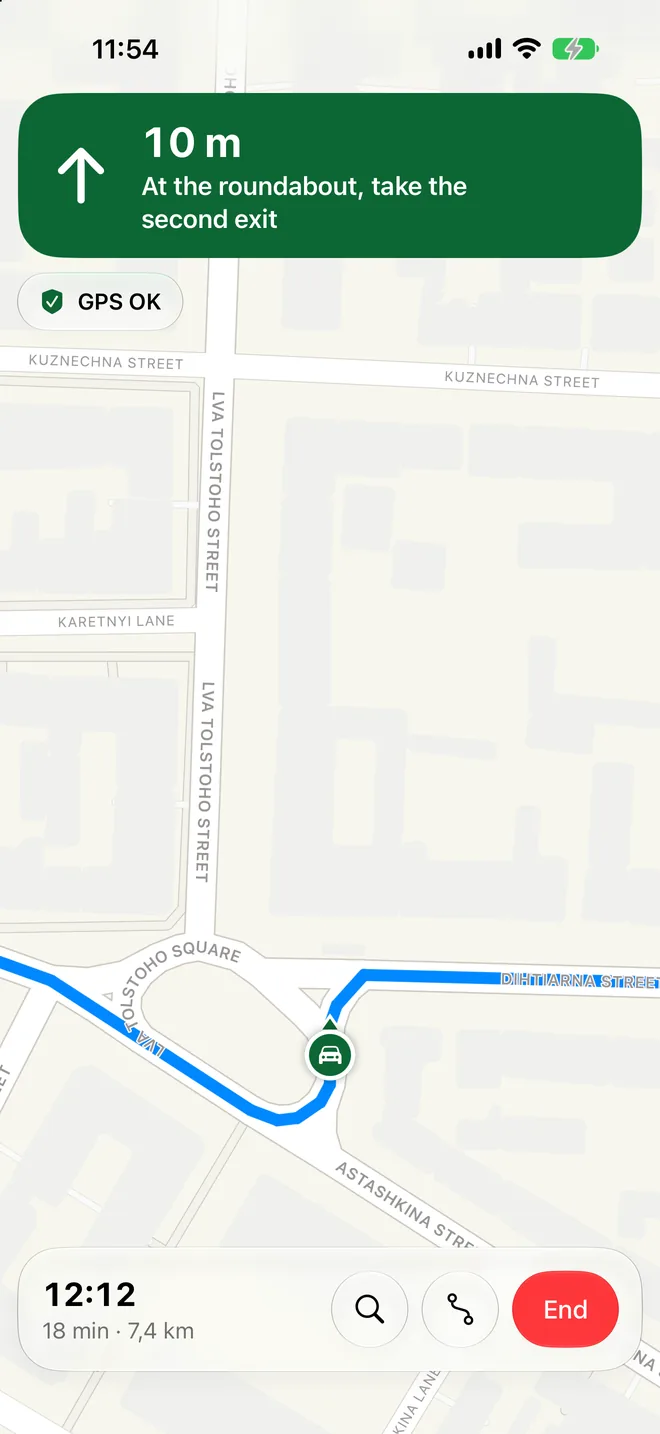
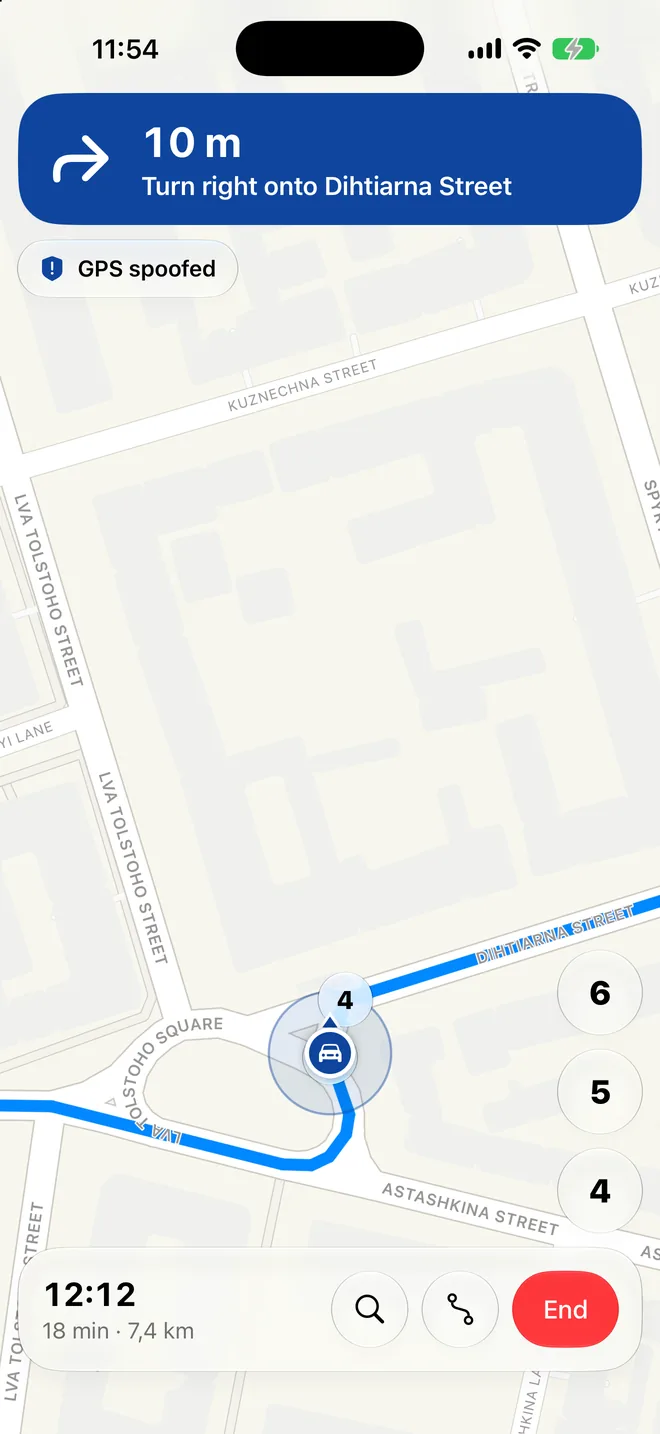
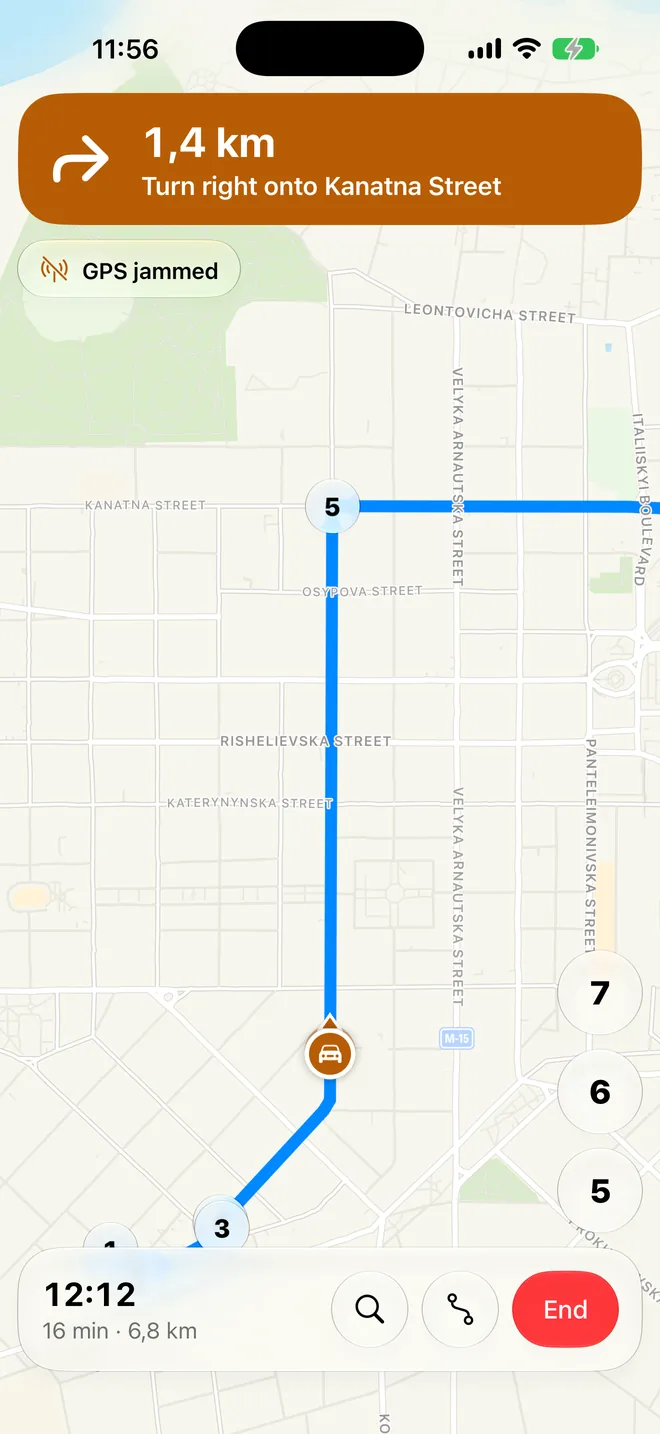
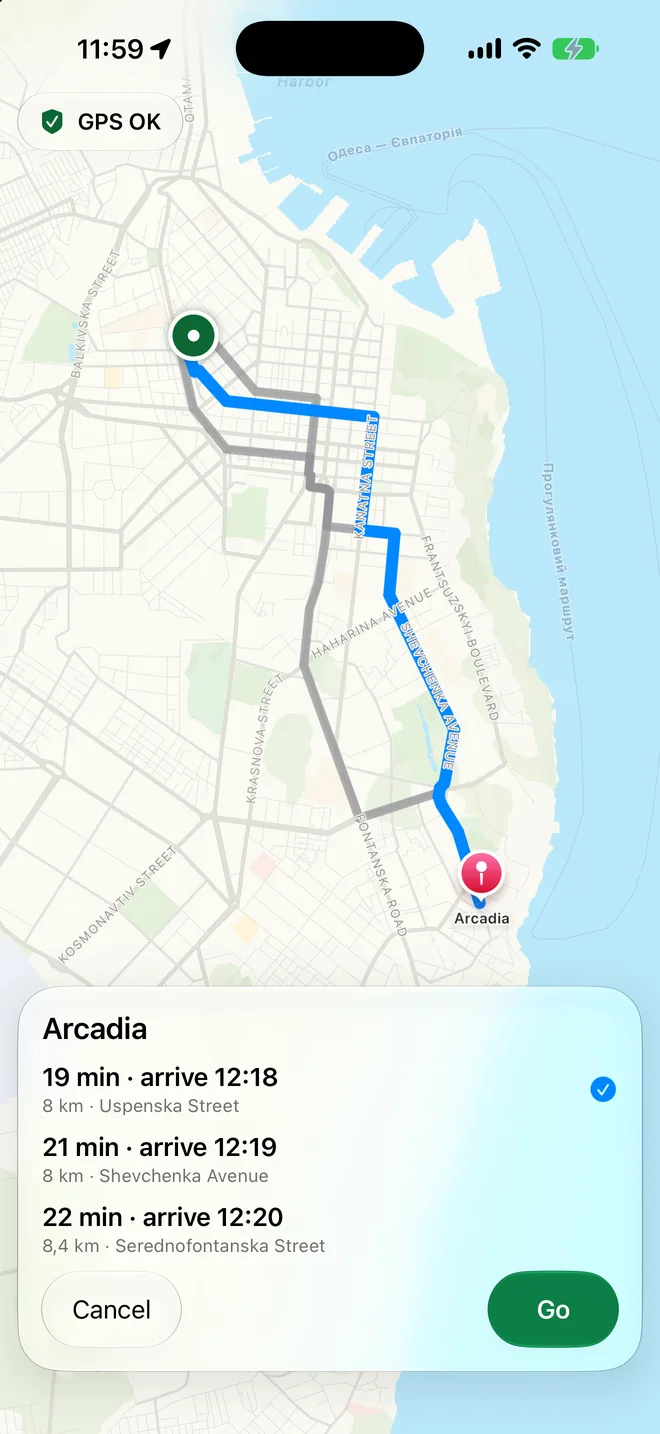
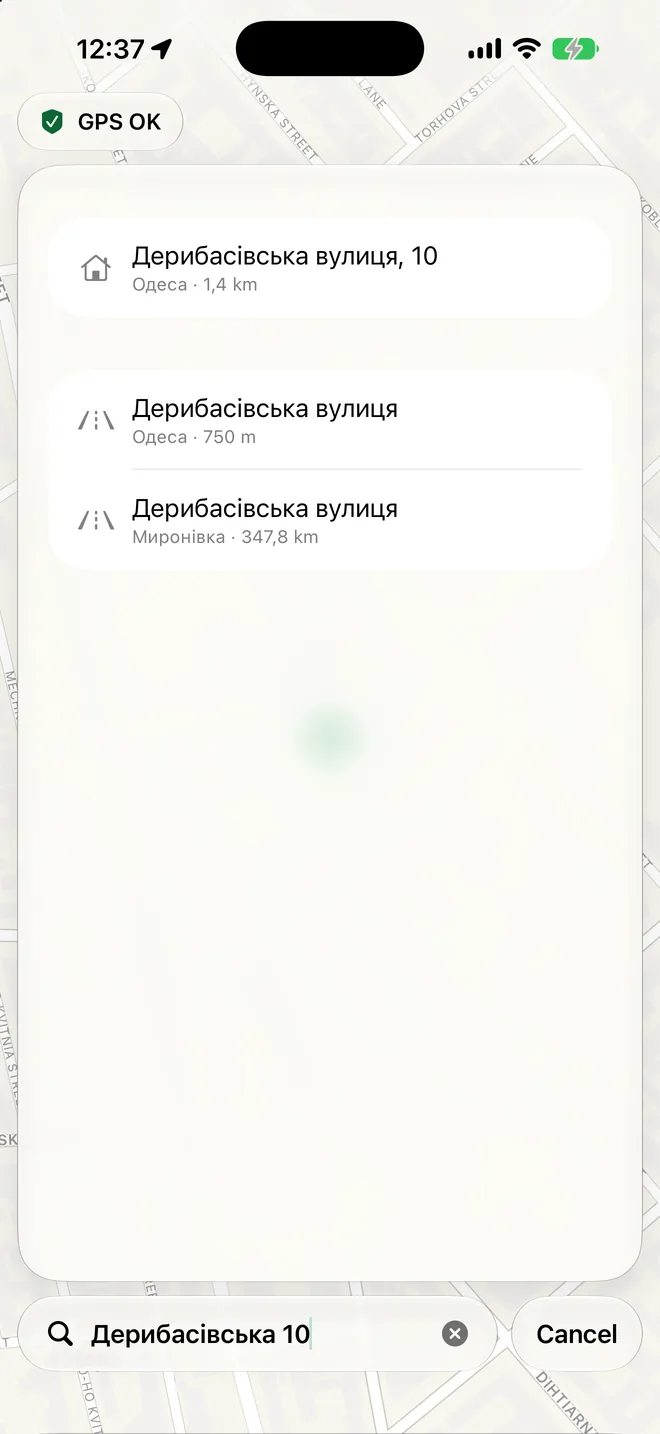
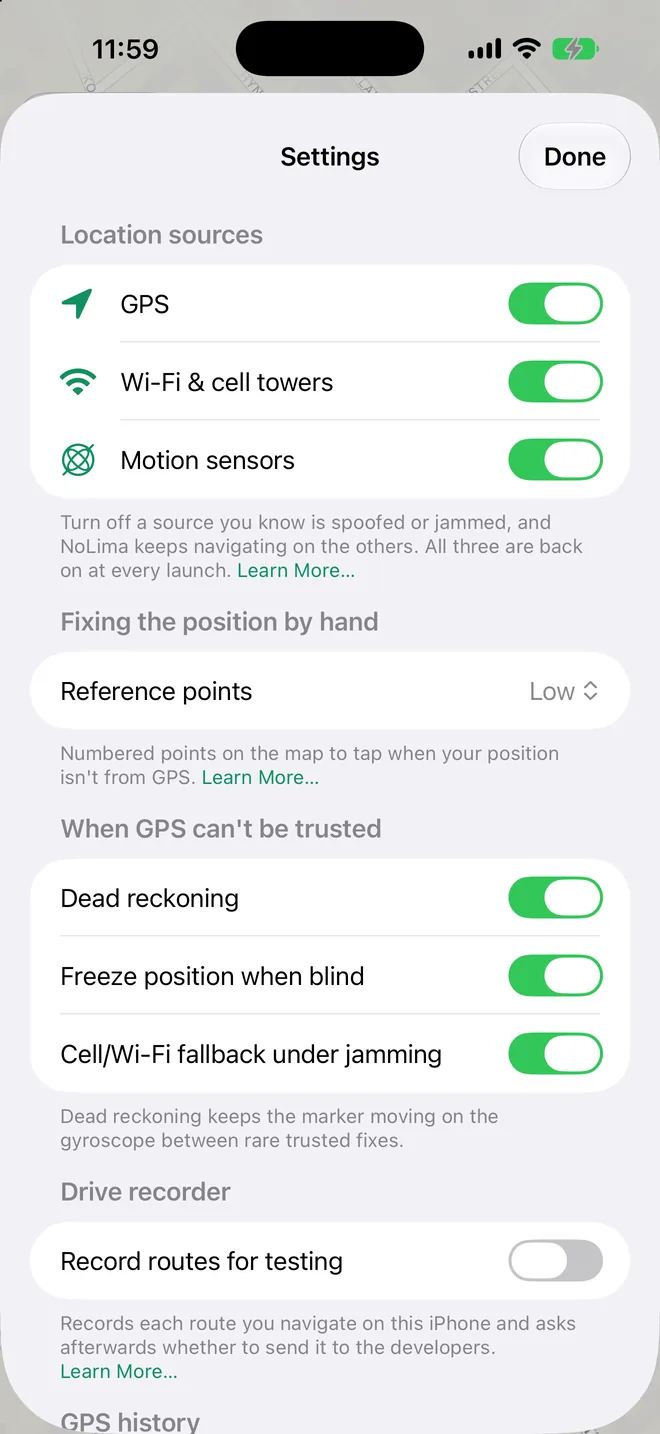
What the colors mean
The direction card and your position marker share one color: where your position comes from.
Green. Real GPS, checked and trusted.
Blue. GPS can't be trusted; your position comes from nearby Wi-Fi networks and cell towers.
Orange. No usable position from outside; NoLima carries your position on the phone's motion sensors along your route.
Grey. Nothing reliable right now; NoLima holds your last good position.
Under the card, the status says what is happening with GPS:
| Status | Meaning |
|---|---|
| GPS OK | Real GPS. |
| GPS spoofed | Your GPS position is fake. NoLima ignores it. |
| GPS jammed | GPS is blocked. NoLima keeps guiding you on the other sources. |
| Checking GPS | GPS is back. NoLima checks it before trusting it. |
| Estimated position | No position from the phone; NoLima moves you on the motion sensors. |
| No GPS signal | No GPS right now, for example indoors. |
| GPS off | You switched GPS off. |
| No trusted position | Holding your last known position. |
Questions and answers
What do I need?
Why does NoLima need my location?
Why does it use motion sensors?
The status says GPS spoofed or GPS jammed. What should I do?
Does it work with no GPS at all?
Does it help when I use another map app?
I turned location access off. How do I fix it?
Apple Maps can't find my address. Will NoLima?
Does NoLima collect my data?
Contact
support@pexper.com
Privacy policy © 2026 Anton Lysevych Detection core based on LimaShield Road data © OpenStreetMap contributors
NoLima helps you notice and work around GPS interference, but no system catches every attack. Always follow road signs and local laws, and keep your eyes on the road.